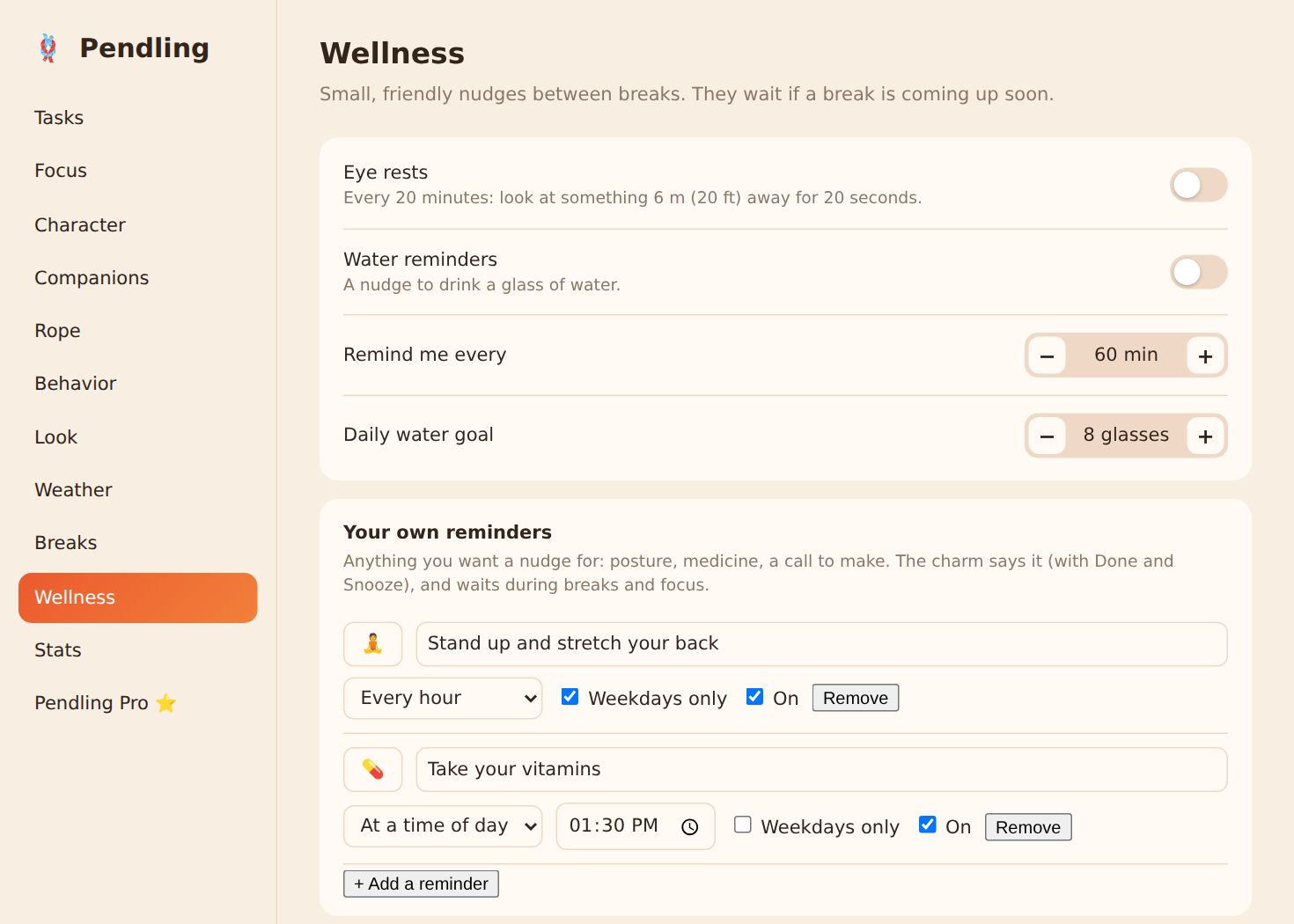
Besides breaks, eye rests and water, the charm can remind you of anything: "Stand up and stretch your back", "Take your vitamins", "Call Mum".
Add one
- Open Settings from Pendling's menu, go to Wellness, and find Your own reminders.
- Press + Add a reminder, pick an emoji and write the words.
- Choose when: every 15 minutes to 4 hours, or at a time of day. Tick weekdays only if you like.
When it's time, the charm says it with Done and Snooze (10 minutes). It waits while a break, a stretch, a focus session or a call is on, then comes.
A time-of-day reminder that couldn't be shown within two hours of its time (your computer was asleep, say) waits until tomorrow, rather than surprising you late.
Free and Pro: one reminder is free. Pendling Pro has as many as you like.
Screenshots are from Windows and Linux. The Mac app has the same settings in its own Settings window.