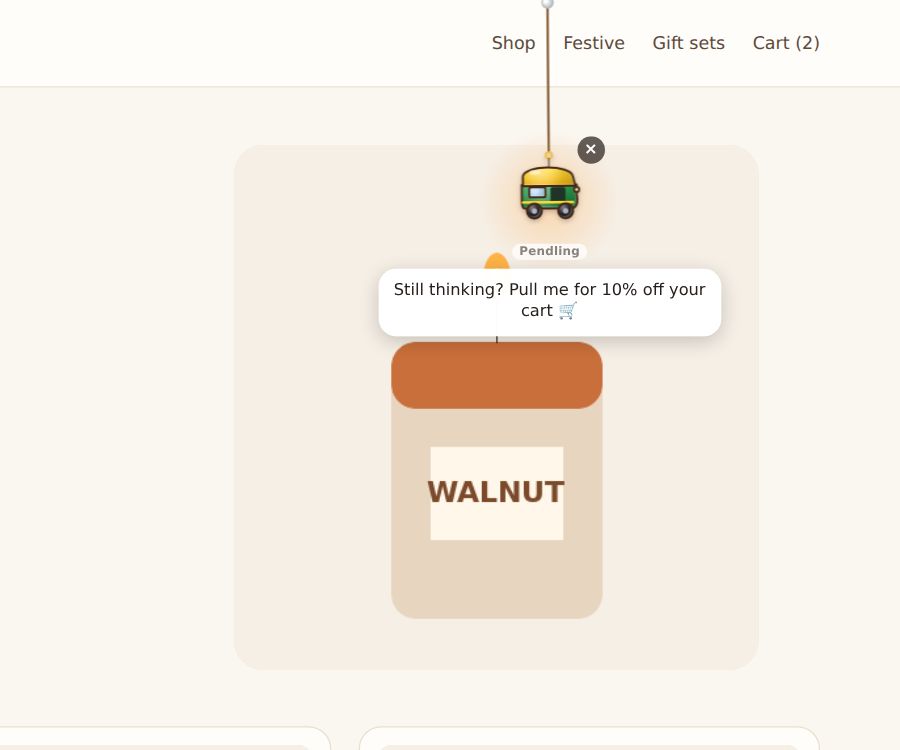
Most carts are abandoned. Pendling can catch the moment: when a visitor has something in their cart and then goes quiet or starts to leave, the charm drops in with a nudge, or a code.
The quick way
Start a campaign from the Cart reminder template. It shows a 10% code to visitors with a full cart as they leave, once a day at most, never on checkout pages. Change the words and the code, and turn it on.
Set it up yourself
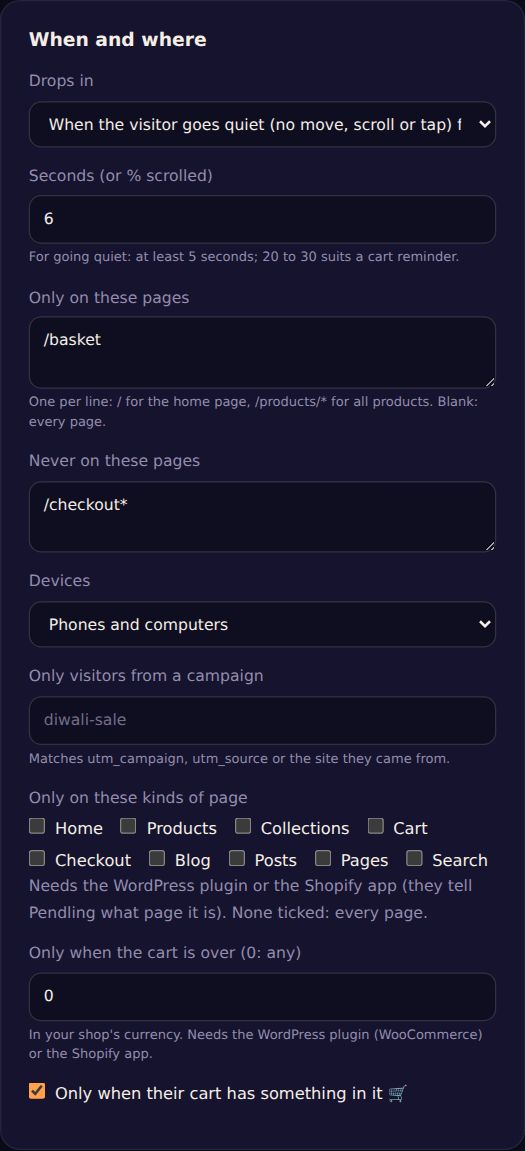
- Under When and where, tick Only when their cart has something in it 🛒.
- Set Drops in to one of:
- When the visitor is leaving: the mouse heads for the tabs, or on a phone, a quick scroll back up.
- When the visitor goes quiet: no move, scroll or tap for some seconds (at least 5; 20 to 30 suits a cart reminder). Time on another tab doesn't count.
- Add
/checkout*to Never on these pages, so it doesn't distract people who are paying. - Put the campaign above your other campaigns in the list: when a cart is empty, it's skipped and the next one shows.
How Pendling knows the cart
- Shopify: by itself, from your store's cart.
- WooCommerce: by itself, from WooCommerce's cart.
- Other sites: tell Pendling from your own code, whenever the cart changes:
Pendling.setCart(total, "INR", items).
Nothing about the cart leaves the visitor's browser: Pendling only asks your own site.
Tip: pair it with a single-use code on Shopify, so a cart code shared online can't be used by everyone.