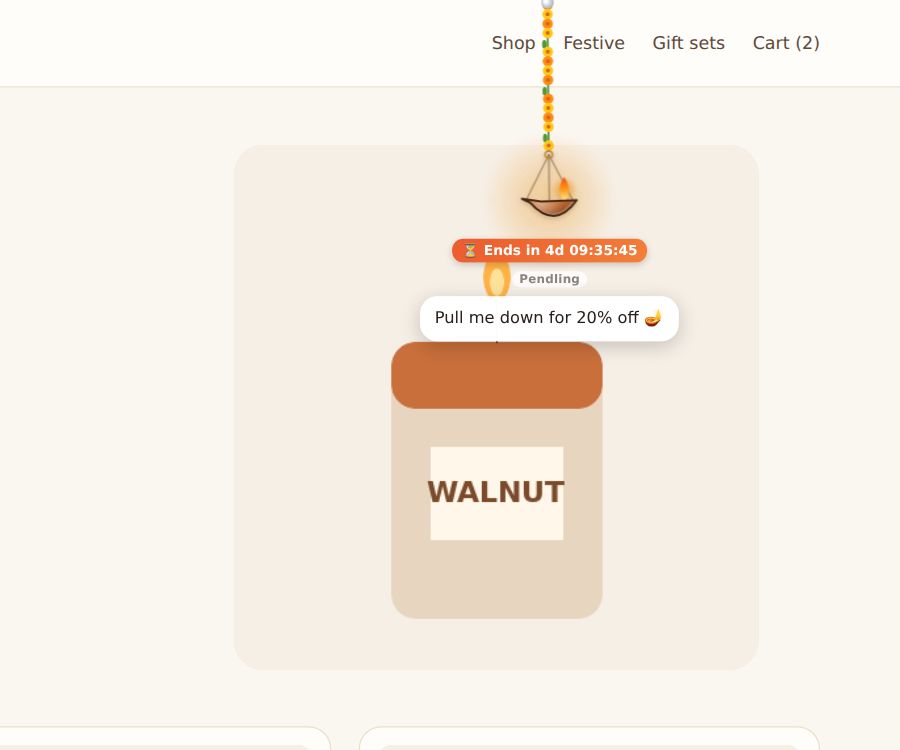
A charm is a playful way to hand out a code: visitors pull it down, or hit a piñata, and the code appears with a Copy button.
Set it up
- Open the campaign and go to What it does.
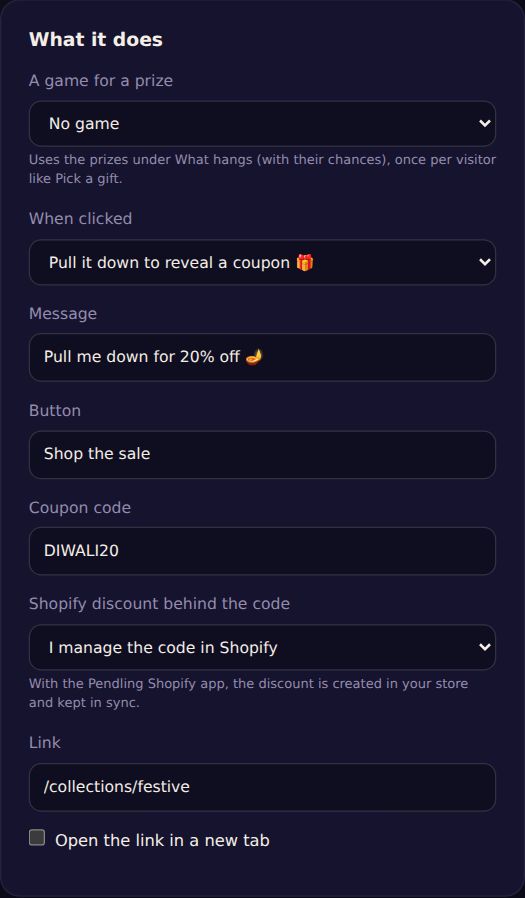
- Set When clicked to Pull it down to reveal a coupon 🎁 or Hit it 5 times to burst out a coupon 🪅.
- Write the Message (for example "Pull me down for 20% off 🪔") and the Coupon code.
- Optional: a Button and Link to take them to the sale.
Shopify discounts
Choose Shopify discount behind the code: I manage the code in Shopify if you made it yourself, or let Pendling create it (% off or amount off) and keep it in sync. Pendling creating discounts needs the Pendling app for Shopify.
A code for each visitor
Tick Each visitor gets their own single-use code (for example DIWALI20-K7QX2), so a code shared online can't be used by everyone. Codes expire after 7 days. (Shopify app, Pro.)
A countdown
Give the campaign an Ends date under Schedule and tick Show a ticking countdown to the end under the charm ⏳. The campaign also stops by itself at that time.
Tip: pair a coupon with a lead form: visitors fill it in to see the code.