Add a form
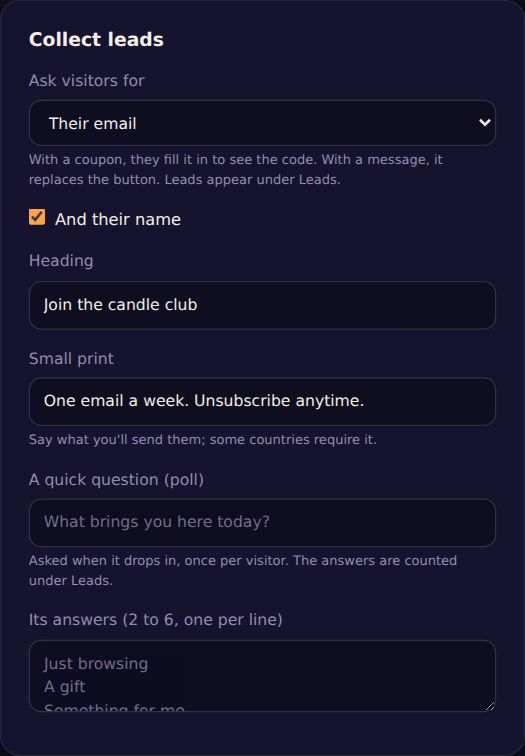
- Open the campaign and go to Collect leads.
- Set Ask visitors for to their email, their phone number, or both. Tick And their name if you like.
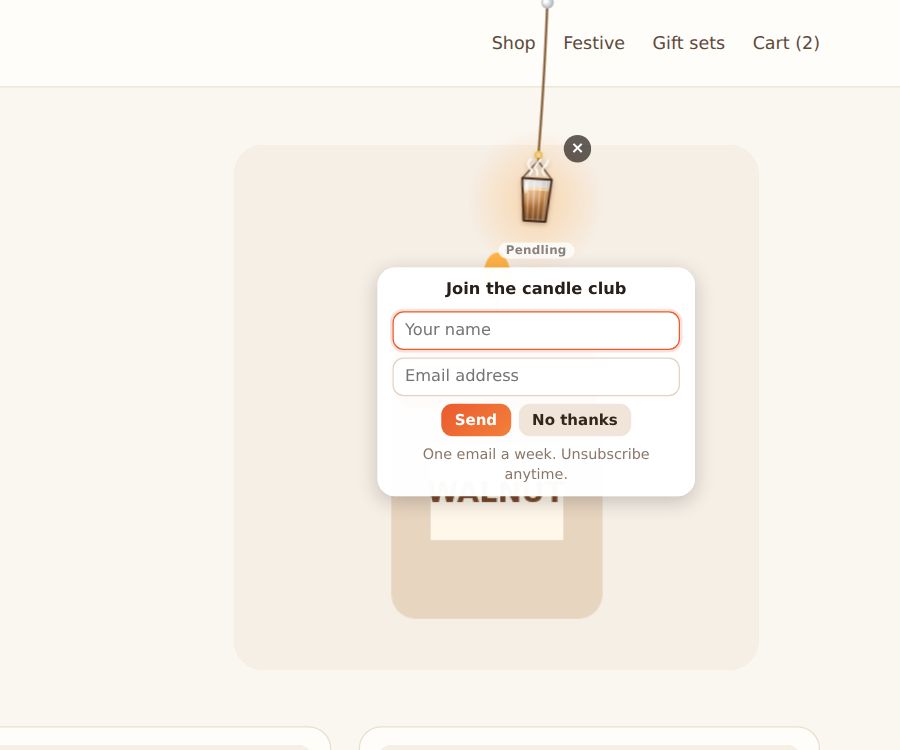
- Write a Heading ("Join the candle club") and the Small print: say what you'll send them (some countries require it).
With a coupon, visitors fill it in to see the code. With a message, the form replaces the button.
A quick poll
Write A quick question and 2 to 6 answers, one per line. It's asked when the charm drops in, once per visitor, and the answers are counted under Leads.
The Leads page
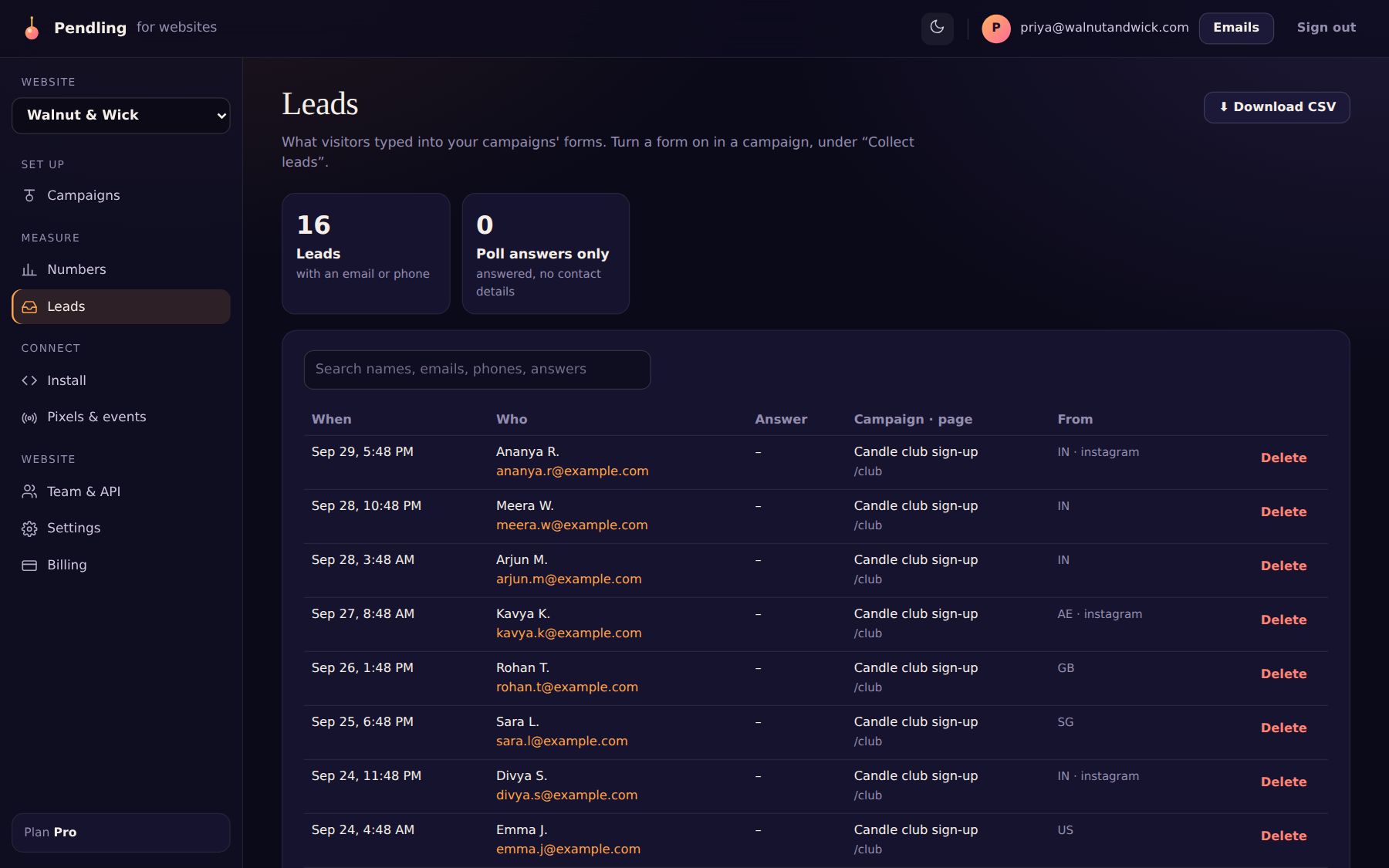
Every form a visitor fills in is on Leads, newest first, with the campaign, the page and where they came from. Search it, Download CSV, or delete a lead.
Where new leads go
Owners choose, under Where new leads go:
- Email the site's owners about each new lead.
- A webhook: Pendling POSTs each new lead and poll answer to your address as JSON. Works with Zapier, Make, n8n, Slack workflows, your CRM or your own server. Each request is signed (
X-Pendling-Signature: sha256=…) so you can check it came from Pendling. - Email tools: Mailchimp, Klaviyo or Brevo (guide).
Privacy: names, emails and phone numbers are never sent to ad or analytics platforms.