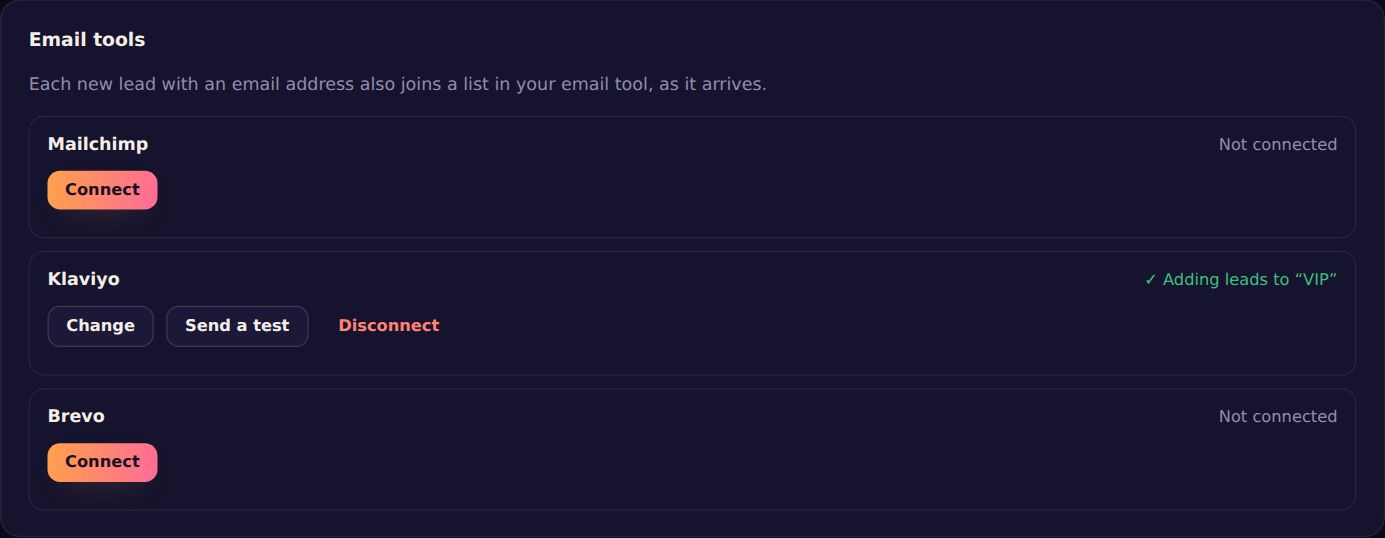
Every lead a charm collects is on your Leads page. Connect an email tool and each new one with an email address also joins a list there, as it arrives.
Connect
- Open Leads and find Email tools. (Only a site's owner can connect them.)
- Press Connect next to your tool and paste its API key (below: where to find it).
- Press Load lists, pick the list, and press Save.
- Press Send a test: it adds test@pendling.app to your list.
Where to find the API key
Mailchimp
Profile → Extras → API keys → Create a key. The key ends in something like -us21. You can also have Mailchimp ask new people to confirm by email first (double opt-in).
Klaviyo
Settings → API keys → Create Private API Key (it starts with pk_), with Lists: Read, Profiles: Write and Subscriptions: Write.
Brevo
Your name → SMTP & API → API keys → Generate a new API key (it starts with xkeysib-).
Keeping your key safe
Your key is stored encrypted and never shown again, not even to your team. Change replaces it; Disconnect stops new leads going to the tool, and the people already there stay. If a lead can't be added (a changed key, a deleted list), the card says what went wrong, and the lead is still on your Leads page.