Try a different message, charm, coupon or action on some visitors, and see which does better. (Pro.)
Set up a test
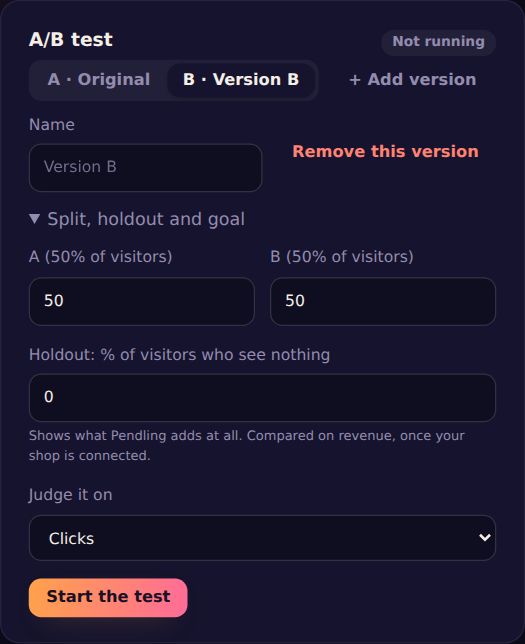
- In the designer, press + Test another version (A/B). A is the campaign as it is.
- Pick version B and change what it shows: its message, charm, coupon or action. + Add version for C and D.
- Under Split, holdout and goal, set each version's share of visitors, a Holdout (visitors who see nothing), and what to Judge it on: clicks, button clicks, coupons revealed, leads, poll answers or revenue.
- Press Start the test. It's live on your site within a minute.
Read the result
Test results shows each version's views and goals, and says who's ahead, for example "B is ahead: 84% likely to be the best", and when it's clear, "B wins". The holdout shows what Pendling adds at all, compared on revenue once your shop is connected.
Each visitor stays in their version. Stop the test shows everyone the original; Restart (clears results) shuffles visitors again. Changes you save during a test reach new page views at once; restart after big changes for a clean result.