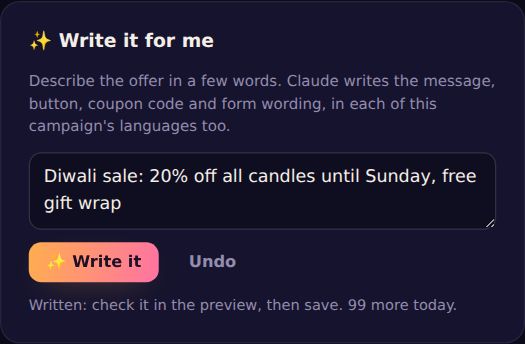
Stuck for words? At the top of the designer, ✨ Write it for me turns a short brief into the campaign's words. It's powered by Claude.
Use it
- Set up what the campaign does first (a coupon, a form, a game), so the writer knows what to write.
- In ✨ Write it for me, describe the offer in your own words: what it is, how much off, until when, and anything special. For example: Diwali sale: 20% off all candles until Sunday, free gift wrap.
- Press ✨ Write it. In a few seconds the form fills in, and the preview shows it.
- Read it, change anything you like, and press Save changes. Not happy? Undo puts your words back, or write again.
What it writes
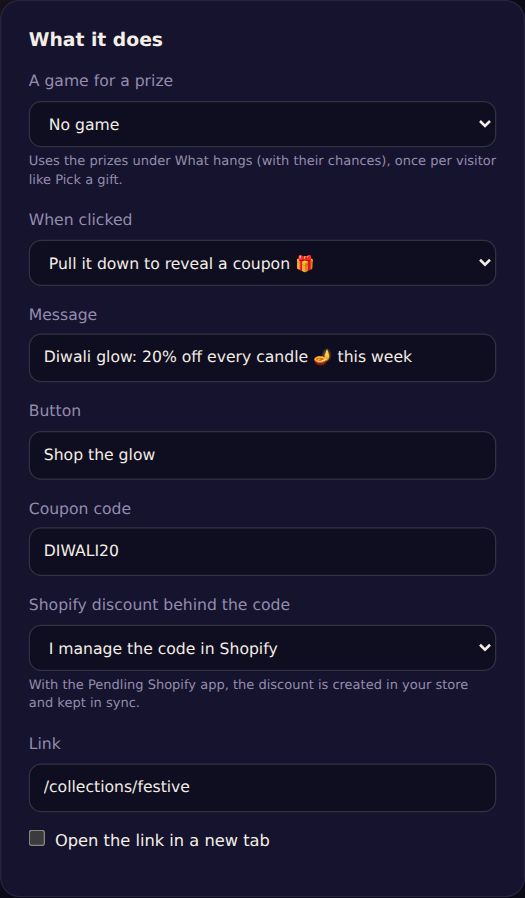
- The charm's message and its button.
- A coupon code, if the campaign reveals one. If your brief names a code, it uses yours.
- The leaving message, if the campaign has one or drops in as visitors leave.
- The lead form's heading and small print, if it collects leads.
- All of that in each language the campaign speaks (add languages first), written naturally rather than word for word.
It never adds offers you didn't mention, like extra discounts or free shipping. Still, read what it wrote before saving: it's your shop's voice.
In A/B tests
Pick version B (or C, D) first, then write: the words go into that version only. It's a quick way to test two different messages.
How many
Each website can write 5 briefs a day on Free, 30 on Starter and 100 on Pro. Editors and owners can use it.
Privacy: only your brief, your site's name and address and the campaign's languages are sent to write the words. Nothing about your visitors is.